PingPlotter Standard BETA release notes
Version 3.20s *final* was released on November 16th. You can see the difference between 2.60 and 3.20s by looking at those release notes.
Download the latest full release on from the download page.
November 16th, 2007. PingPlotter Standard 3.20s released!
Changes since version 3.15s beta 3
- Application position wasn't being correctly reloaded after close/restart. Fixed.
- Updated error alerting system to send email messages via HTTP by default, and to be more friendly.
- Better support for Vista, with a variety of "tweaks" and adjustments.
- New installer for Vista compatility, and just works a bit better. Default install path moved to \Program Files\PingPlotter Standard on new installs.
- "Max samples in memory" now defaults to 250,000.
- Better detection of default MAPI client when using File->Send Email...
- A few other tweaks and misc.
September 10th, 2007. PingPlotter Standard 3.15s beta 3
We're hoping this is a short-lived beta, and that we'll be able to release in the next couple of weeks. Please let us know if you find any problems.
Changes since version 3.15s beta 2
- Upgraded to latest component versions for a number of components, plus the latest compiler version. Fixes a good handful of bugs.
- Fixed bug in alert system where alerts wouldn't *stop* firing (once they started), and also would sometimes not fire at all.
- Improvements in a number of areas when running large fonts.
- Install is now code-signed, so running the installer correctly shows "Nessoft, LLC" instead of "Unknown Publisher".
- Now tells Windows Vista that it knows about Vista, which makes directory handling better (especially of the \Program Files directory, which is read-only under Vista). The downside of this change is that you'll need to re-enter your license key, but your current license key will work just fine. If you can't remember your key, go to our support page and have it mailed to you.
- If ICMP.DLL wasn't available on the system, PingPlotter would crash with a cryptic message on startup.
- Small updates to help file.
- Fixed problem with taskbar handling under Windows 98 - would sometimes show two entries for PingPlotter.
April 6th, 2007. PingPlotter Standard 3.15s beta 2
Changes since version 3.15s beta 1:
- If Windows Explorer crashed, an error would sometimes occur when creating the tray icon: "Cannot remove shell notification icon". Fixed.
- If an unexpected version of the SSL libraries were installed in the system path (but not by PingPlotter), an "Ordinal not found" error could occur when going to the Edit->Option, Email screen.
- A "Menu Error 1.4" would occur under some conditions when selecting the "Edit" menu. Fixed.
February 22nd, 2007. PingPlotter Standard 3.15s beta 1
Changes since version 2.60:
- PingPlotter can now be run from a USB drive and license information (and other data) is stored on the USB drive instead of the system registry. See the installed help file (Help -> Contents) section "Advanced Features", "Running from a USB drive" for more details.
- New UDP packet type can target a specific UDP port rather than using "unix-style" ports 33434 and up. This allows tracing directly to a UDP server (certain UDP servers only). For this release, we've included 3 types - Echo, UDP DNS, and IAX (Asterisk VoIP) ping. If you need other server types supported, please contact us.
- PingPlotter can minimize when "X" is hit on the upper right (instead of closing / prompting for close).
- PingPlotter can create an email (using MAPI) including a screenshot or data. Check the File -> Send Email menu.
- Alerts can use SMTP STARTTLS secure connections - this allows use of GMail SMTP servers. See http://www.nessoft.com/kb/67 for instructions.
- ALT-Tab works better in non-standard task / windows managers, or in Windows Vista.
- Cascade / Tile / Move / Size commands now work from the taskbar right-click menu.
- Time graph enhancements:
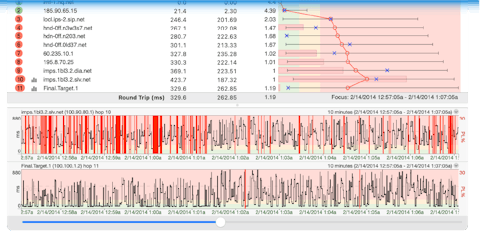
- Focus indicator is much better.
- PL% and ms are displayed on graph scale (and descriptions expand for taller graphs).
- Mouse scroll wheel scrolls forward / backwards in time.
- Depressing the wheel and scrolling zooms in and out (with the "zoom" happening at the point of the mouse cursor).
- New alert option to not show the alert indicator on the main graph (for logging alerts that always log).
- New help file format (now uses HTML help instead of WinHelp).
- Large fonts work better.
- Improved Windows Vista compatibility:
- With 64 bit Vista, you no longer need to disable DEP for PingPlotter.
- Uses new Windows Open / Save dialogs.
- Context-sensitive (F1) help now works.
- Uses Vista font type / sizes.
- Several other tweaks.
- Note: The UDP packet type still does not work completely under Vista.
- Lots of route changes takes less CPU to handle.
-
- New error handling system makes it easier for us to help you if you get an error.
- Quite a few minor bugs fixed and other "tweaks" applied.
If you're interested in helping us make this release better, we are specifically looking for some feedback on the port-targeted UDP packet type. If you're unable to trace to a service you use that uses the UDP protocol (but you can to other servers), we may be able to create a custom packet type that is able to trace to this server. Contact us at beta@pingplotter.com.
Of course we also want to hear from you if you have any feedback or problems using any of the features in PingPlotter Standard. The best way to email us is from the Help menu of PingPlotter (Help->Email PingPlotter support...) as this also sends some system information that can help us find any problems.
Where to get more information:
If you have questions, problems, bug reports, or suggestions with this 3.15s beta, please visit our beta forum or email us. The best way to email us is from the Help menu of PingPlotter (Help->Email PingPlotter support...) as this also sends some system information that can help us find any problems. You can also email us directly at beta@pingplotter.com.
|
|
This version of PingPlotter Standard requires you to be a licensed user with a valid license key to run. If you don't have a license key, please
download version 2.60.
PingPlotter Standard Version 3.15s beta 1 can be downloaded here. (1,526 KB)
|
As with all recent PingPlotter betas, a valid license key is required to run this beta (i.e.: any licensed user is welcome to try out this version).
To see previous release history, please visit our online release notes.