

Get Started with PingPlotter
“Network Problems Suck!”
We hear ya. Maybe your internet keeps cutting out or your stream keeps stuttering and you don’t know why. Maybe your game is lagging like crazy or won’t even connect at all. Whatever the reason, there’s one thing we can all agree on:
It sucks.
But now it’s time to do something about it, and PingPlotter’s gonna help. PingPlotter is a powerful tool that gives you a clearer picture of what’s causing your connection to work like garbage. That way, you can fix it if it’s on your end, or get the right info to the right people if it’s outside your control.
Trace a Way Forward
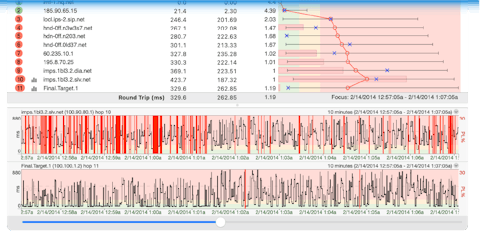
PingPlotter is like a super-powerful map, and we’re going to teach you how to read it.
As you work through this guide, we’ll show you how to use PingPlotter to find and solve the problem you’re having with your network. We’ll cover everything from how to get PingPlotter pointed in the right direction to making a compelling case when you need to tell your internet provider to get their act together.
The most important thing to remember is you’re not going it alone. We’ll be here every step of the way to help you get things working again. If you find yourself confused or frustrated, get in touch with our Service Team. They’ll help get you back on track.
Ready to get to it? Us, too!
First things first: You’re gonna need PingPlotter…