

Version 5 Manual
Workspace Menu
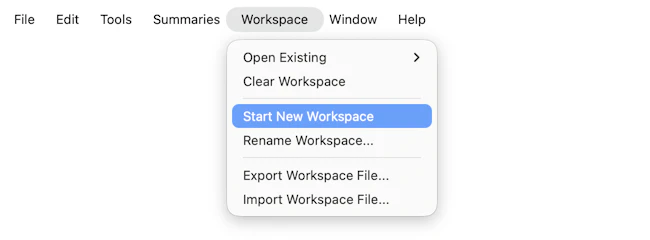
Workspaces are used in PingPlotter only, and are a list of targets, screen locations and settings that make it easy to continue a monitoring session later. We discuss this in some detail in "Tracing to Multiple Targets."
- Open Existing.: This will load a workspace - which is a list of targets, trace intervals, named configurations and screen locations. PingPlotter workspaces use the extension .pws by default. Loading a workspace will stop tracing and close any targets that are currently active.
- Start New Workspace: Creates a fresh blank new workspace
- Rename Workspace: Allows renaming of the current workspace (which can make it easier to pick workspaces out of the "Open Existing" list)
- Export Workspace File: Exports the current workspace as a *.ppws file (Windows only)
- Import Workspace File: Opens any *.ppws file that may have been saved/shared (Windows only)
Some of the features listed in this topic are only available in PingPlotter Pro and/or PingPlotter Standard. See our product comparison page for details.