

-
PingPlotter Professional
Troubleshoot unlimited connections from your computer.
Troubleshoot with Pro Edition -
PingPlotter for Contact Centers
PingPlotter Cloud
Monitor and troubleshoot remote connections anywhere from a centralized online dashboard.
Monitor with PingPlotter Cloud
PingPlotter Insights
Local Bandwidth Saturation Discovered
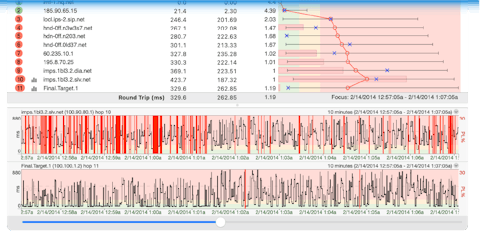
Your local network is showing signs of bandwidth saturation. Bandwidth saturation occurs when your local network is trying to pull data through a connection that can't handle all of the traffic it's being asked to transport. The good news is that it was discovered on your local network so there is an excellent chance that you can find a solution. The most common bottlenecks are overused Wi-Fi bandwidth or Internet connections. When looking for high data consumers (like gamers or video streaming) don't forget that outbound data can be an even bigger problem than the data that comes into your network. If you remotely access files on your network then too many outside users can be as much of a problem as too many inside users.
Solution
When you find bandwidth saturation occurring on your home network, limiting usage is the easiest approach to avoiding the problem. If managing people's network operations is not ideal, internet service providers are always happy to sell you more bandwidth.
An alternative to buying more bandwidth involves a device that gives preference to certain types of data. Configuring networks to treat certain data differently is known as Quality of Service (QoS). The option is more technical but might be the best solution if limiting usage and buying more bandwidth are both off the table.
If you're experiencing ISP-related bandwidth saturation, you aren't in a position to limit the usage of other customers or implement QoS. Because of your position, solving the problem requires interactions with tech support.
Calling tech support is a daunting task. We wouldn't wish the situation on our worst enemies, but if you do find yourself contemplating a tech support call, our Step-by-Step Troubleshooting Guide offers advice on building a case that proves a problem and working with support in a way that gets results. Be sure to give the guide a look before embarking on your quest.