

Is Your Contact Center Truly Ready for Work-From-Home?
Key Takeaways
- Clear, documented work-from-home readiness standards help contact centers deliver consistent performance across remote and hybrid agents.
- Internet and network quality—latency, jitter, packet loss, and throughput—have a direct, measurable impact on call quality and key contact center KPIs.
- A standardized readiness checklist enables HR, workforce management, IT, and operations teams to verify, enforce, and maintain WFH expectations at scale.
Remote and hybrid work are no longer temporary fixes for contact centers—they’re the default. But while agents may be distributed, customer expectations haven’t changed. Call quality must remain consistent, customer data must stay secure, and performance metrics still need to be hit every day.
For HR and Workforce Management (WFM) leaders, the real question isn’t whether work-from-home can work—it’s whether the organization has clearly defined what “ready” actually means for remote agents, and how that readiness is verified and maintained over time.
What is a work-from-home readiness checklist for contact centers?
A Work-From-Home Readiness Checklist helps HR and WFM teams define, verify, and enforce standards for remote contact center agents. It covers policies, home workspace requirements, network and internet performance standards, onboarding validation, and ongoing accountability—so agents can deliver reliable performance from anywhere.
In practical terms, WFH readiness means an agent’s home environment, internet connection, and equipment consistently support secure, high-quality voice and data traffic during live customer interactions.

Why do contact centers need WFH readiness standards?
In physical contact centers, performance issues are easier to see and troubleshoot. In a remote environment, problems often originate outside the organization’s direct control—unstable internet, shared family bandwidth, old routers, unsecured Wi-Fi.
Without clear standards, these issues show up as missed KPIs, poor call quality, increased AHT, or frustrated teams trying to figure out if a problem is technical or coaching-related. Documented readiness standards reduce guesswork and create shared accountability across HR, WFM, IT, and operations.
What network and internet performance do remote agents need?
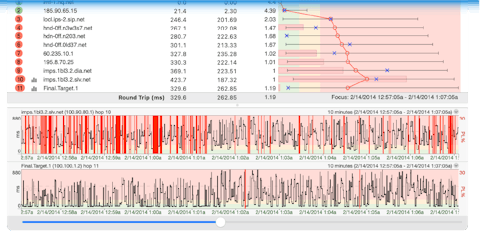
Internet performance is one of the most common—and least visible—contributors to remote agent issues. That’s why WFH readiness must include measurable network benchmarks, not just advertised speeds.
- Latency: under 100 ms during calls
- Jitter: under 30 ms
- Packet loss: under 1%
- Throughput: consistent enough to sustain voice and required applications
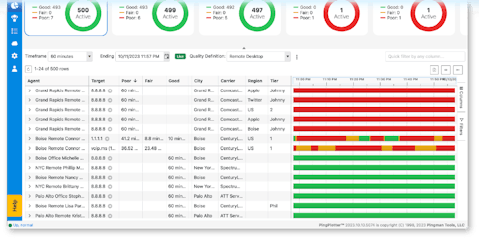
Setting these benchmarks helps teams separate agent performance issues from connectivity problems and makes it possible to validate readiness during onboarding or periodic reviews. Tools like PingPlotter Cloud let agents measure and document real-world network quality as part of this process.
How can HR and WFM teams verify WFH readiness?
Verification shouldn’t be informal or ad hoc. A repeatable process typically includes pre-hire testing, at-home setup validation, and regular internet quality monitoring—with documented results stored in HR or WFM systems. Just as important: defining what happens when agents fall out of compliance.
A practical checklist you can use—and share
Below is PingPlotter’s Work-From-Home Readiness Checklist for HR and WFM leaders in remote contact centers. Use it to evaluate your current WFH standards, find gaps, and establish consistent expectations for policy, onboarding, and ongoing performance management.