

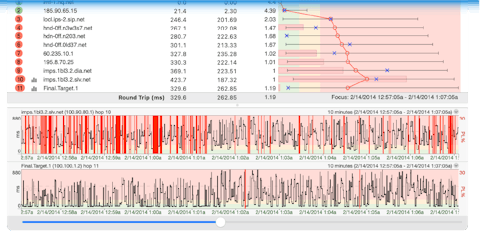
Smarter Alerts. Less Noise.

PingPlotter’s revamped Alerts help you cut through the noise with smarter notifications, intelligent workflows, and the context you need to respond faster.
Key Takeaways
- Smarter workflows, including schedules, delays, and historical alerting, reduce alert fatigue while improving response times.
- PingPlotter's redesigned Alerts help organizations spend less time sorting through notifications and more time solving network problems.
- More alerts don't necessarily improve network monitoring. Without context, they often create more work instead of more insight.
- Effective alerting identifies patterns, filters out temporary issues, and helps IT teams focus on what actually matters.
- Grouping users by department or supervisor, latency, packet loss, and other criteria reveals widespread issues much faster than monitoring individual endpoints alone.
Here's a hot take: your monitoring software shouldn't send more alerts. It should send fewer.
That probably sounds backwards. After all, the whole point of network monitoring is to catch problems as soon as they happen. Wouldn't more alerts mean better visibility? Not necessarily.
Most likely, you and your IT team aren't suffering from a lack of information. You’re drowning in it. Every dashboard lights up, every threshold has an opinion, and every notification insists it's urgent. Before you've finished your first cup of coffee, you've already been asked to investigate half a dozen "critical" events, many of which quietly fixed themselves while you were reading the alert email.
Not every network event is actually a network problem. Sometimes someone's home Wi-Fi decides to take a twenty-second mental health break. An ISP briefly reroutes traffic before settling back down. Neither of those situations are ideal, but they’re definitely not a reason to wake someone up at 2:00 a.m. The upshot is this: if every alert is treated like an emergency, pretty soon none of them feel like one.
The question isn't whether you have enough visibility. You probably already collect more network data than you know what to do with. The real question is whether you can separate the meaningful signals from the background noise. And that's exactly the problem we wanted to solve with PingPlotter's redesigned Alerts.
The real problem is too little context
Take a second to think about how most alerting systems work: a threshold gets crossed, then an email gets sent, and a notification appears. In the most basic sense, the system has done its job. But has it actually helped you?
Let's say four remote employees report poor Microsoft Teams call quality within ten minutes of each other. Traditional monitoring might generate four separate alerts because four different devices crossed four different thresholds. What it doesn't tell you is that all four employees happen to be using the same ISP. Or that they're all located in the same metropolitan area. Or that they're all following the exact same network path.
Without that context, you or your team would begin investigating four individual problems that are really just one larger issue wearing four different disguises.
Is this one problem or 50?
One of the biggest improvements in PingPlotter's redesigned Alerts is that it doesn’t treat every endpoint like its own little island.
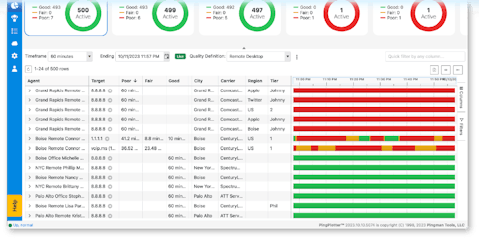
Instead, you can organize users into dynamic groups based on the characteristics that actually matter to your business. Maybe that's everyone connected through the same department. Maybe it's every employee working from a particular office. Maybe it's every contact center agent in North America or the Philippines. Or perhaps it's every user whose Quality Score Definition drops below an acceptable level or whose latency consistently exceeds your performance standards.
Now you're no longer staring at dozens of unrelated alerts wondering whether they're connected. You're watching the health of the systems, providers, locations, and user populations that support your business.
Even better, those groups don't become another administrative chore. As new users match your criteria, they can automatically become part of the appropriate alert group without anyone manually updating lists. New office opens? New remote employee joins the company? New contact center agent comes online? If they match the filters you've already defined, they're automatically included. That means your monitoring evolves along with your organization.
Is this worth interrupting someone for?
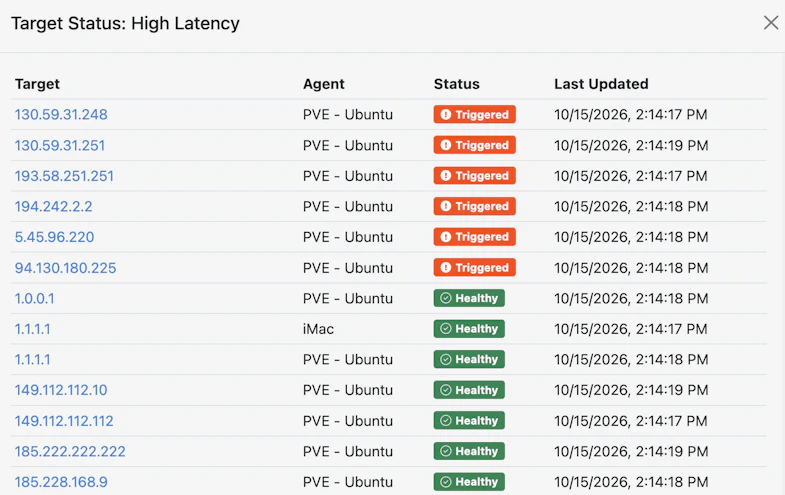
Traditional alerting tools are often too eager to tell you about every single problem, without making a distinction between real issues or transitory, inconsequential ones. A brief routing adjustment that lasts thirty seconds often generates the same notification as an issue that's affecting hundreds of users. By the end of the week, you've received so many alerts that the truly important ones blend into everything else. That's how alert fatigue happens.
PingPlotter's redesigned Alerts let you build a little patience into the process.
Perhaps packet loss has to persist for more than sixty seconds before anyone receives a notification. Maybe at least five users need to experience degraded performance before an alert is triggered. Perhaps you want to ignore isolated issues altogether unless they begin affecting an entire office, department, or team. You can even introduce delays that give transient issues time to resolve before an escalation begins. Those decisions are entirely up to you.
Instead of reacting to every bump in the road, PingPlotter’s Alerts behave more like an experienced network engineer who knows the difference between a temporary hiccup and the beginning of a real incident.
Who actually needs to know?
Not every alert should go to every person. That's a surefire method for creating an inbox full of notifications that nobody reads.
Different people care about different things: a Help Desk technician may only need to know when a handful of users begin experiencing issues, network Operations may not need to get involved unless the problem spreads across an entire team or geographic region, and leadership probably doesn't care about an isolated packet loss event, but they'll absolutely want to know if an entire remote contact center loses connectivity five minutes before the morning shift.
With PingPlotter's redesigned Alerts, you can build workflows that mirror the way your team already operates instead of sending the same alert to everyone at once.
For example, maybe five users on the same team experience degraded network quality for more than sixty seconds. That triggers an alert for the Help Desk. If the issue continues or begins affecting additional users, the alert automatically notifies Network Operations. If the situation grows into a widespread outage affecting an entire office, region, or business unit, management receives notification as well.
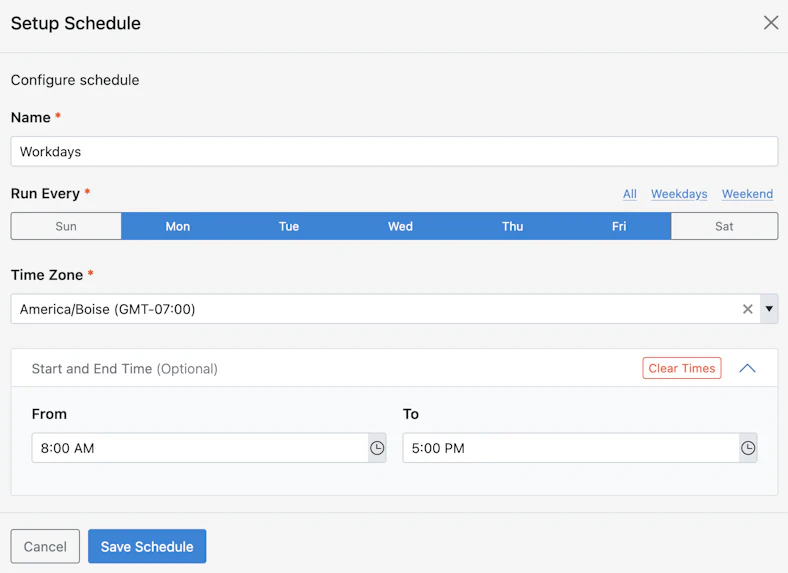
You can even decide when those workflows should apply. Perhaps you only want notifications during business hours, or maybe weekends use entirely different thresholds. A brief issue affecting one remote employee at 11:30 p.m. on a Saturday night probably isn't worth interrupting anyone's evening. A widespread outage on Monday morning almost certainly is.
Schedules and Do Not Disturb settings let your monitoring reflect the rhythm of your business instead of assuming every hour of every day carries the same level of urgency.
Why does this weird thing keep happening?
Some of the most frustrating network problems happen just often enough to be annoying. For example, you might have several employees complaining that Microsoft Teams calls sound robotic every Tuesday afternoon around 2:00 p.m. By the time someone starts investigating, the problem has disappeared. Everything looks healthy. The tickets eventually get closed because there's nothing left to see. Then next Tuesday arrives and the exact same thing happens again.
Without context, every incident feels like a brand-new mystery. But with PingPlotter’s alerts, you can be warned about these intermittent issues before they become larger problems. Let's say you discover that packet loss consistently spikes whenever traffic begins flowing through a particular VPN during a specific time of day. Rather than making a mental note and hoping someone remembers next week, you can build an alert around those conditions.
The next time that same pattern begins developing, PingPlotter recognizes it immediately and alerts you while the evidence is still unfolding. Rather than spending your time rediscovering yesterday's problems, you're preventing tomorrow's.
So how do I know my alerts will actually work?
If you’ve ever built a complicated alert rule, you know how it goes: you spend 30 minutes configuring filters, thresholds, schedules, and notification settings, only to immediately wonder, "Did I just build exactly what I wanted...or a nightmare machine that's about to send 500 emails?"
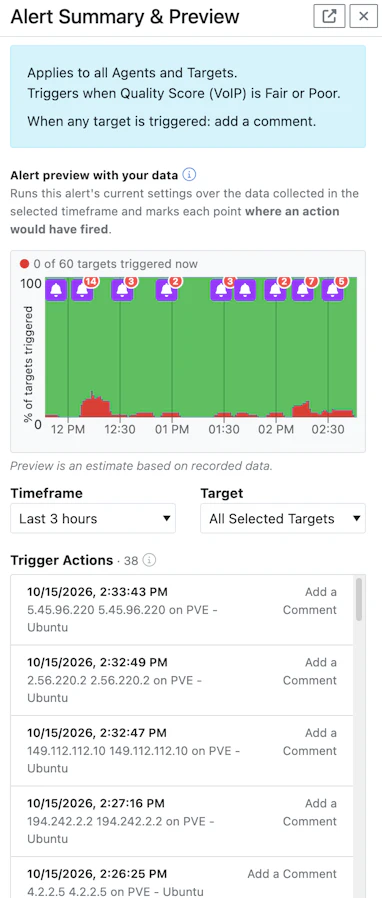
PingPlotter's Alert Summary Preview (located on the right side of the Alert builder screen) removes a lot of that uncertainty. As you build an alert, the preview updates in real time to show exactly how the workflow behaves. You can see how filters affect your target population, how notifications move through your workflow, and approximately how frequently alerts are likely to occur. Purple notification indicators make it easy to follow the path an alert will take, with a clear visual map of who gets notified and when.
Instead of hoping your configuration behaves the way you intended, you can actually see it before it ever becomes active.
The same philosophy extends to notifications themselves. You can preview the email alerts recipients will receive, making it much easier to confirm that the right information reaches the right people without overwhelming them with unnecessary detail.
Once your alerts are running, they don't disappear into the background, either. The Alerts widget can be added directly to the PingPlotter Dashboard, giving your team a centralized view of current activity without constantly jumping between screens.
Better alerts create better decisions
More information does not automatically lead to better decisions. Anyone who's spent an afternoon sorting through dozens of alerts knows that's true. The organizations that respond the fastest collect the right data, present it with context, and deliver it to the right people at the right time.
That's the philosophy behind PingPlotter's redesigned Alerts. Every improvement, from dynamic grouping and intelligent notification workflows to visual previews, was designed with a single goal in mind: helping you spend less time managing notifications and more time solving the network problems that affect your users.
At the end of the day, your users don't care how many alerts your monitoring platform generated overnight. They care that their calls are clear, their applications are responsive, and their work isn't interrupted by network issues, because the best network alerts don't tell you everything, they tell you the things worth knowing.
Want to learn what PingPlotter’s Alerts can do for you?
Network problems don't have to catch you off guard. PingPlotter gives you the visibility to spot recurring issues, uncover their causes, and take action before they become bigger headaches. Ready to take the mystery out of your network? Let's talk about the right solution for you.
Request a Demo